
Block programming doesn’t always require screens and keyboards. Offline activities can introduce coding concepts through hands-on play, fostering creativity while building essential computational thinking skills.

🎯 Why Unplugged Programming Activities Matter More Than Ever
In our increasingly digital world, the irony isn’t lost that sometimes the best way to teach programming concepts is to step away from computers entirely. Unplugged programming activities offer children and beginners a tactile, screen-free approach to understanding the fundamental principles of coding, algorithms, and logical thinking.
These offline experiences remove the intimidation factor that technology can present to newcomers. Without worrying about syntax errors or software glitches, learners can focus purely on the logic and problem-solving aspects that form the foundation of computational thinking. The physical nature of these activities also engages kinesthetic learners who thrive on movement and manipulation of real-world objects.
Research consistently shows that children who engage with unplugged coding activities develop stronger abstract thinking skills and demonstrate better understanding when they eventually transition to digital programming environments. The concrete nature of physical blocks, cards, and game pieces creates mental models that persist long after the activity ends.
🧱 Building Blocks of Computational Thinking Without Screens
Computational thinking encompasses several core concepts that don’t require a computer to understand or practice. These include sequencing, pattern recognition, decomposition, abstraction, and algorithmic thinking. Each can be explored through carefully designed offline activities that make abstract concepts concrete and accessible.
Sequencing activities teach children that order matters. When instructions are followed in the correct sequence, desired outcomes result; when the order changes, so do the results. This fundamental understanding applies whether you’re making a sandwich, following a treasure map, or writing a computer program.
Pattern recognition helps learners identify similarities, differences, and regularities in data or situations. This skill forms the basis for creating efficient code, recognizing bugs, and optimizing solutions. Offline pattern activities can range from simple matching games to complex analysis of physical arrangements and sequences.
📦 Block-Based Thinking Through Physical Manipulation
Block programming languages like Scratch have revolutionized how we teach coding by making commands visual and manipulable. Translating this concept to offline activities creates powerful learning experiences that children can literally hold in their hands.
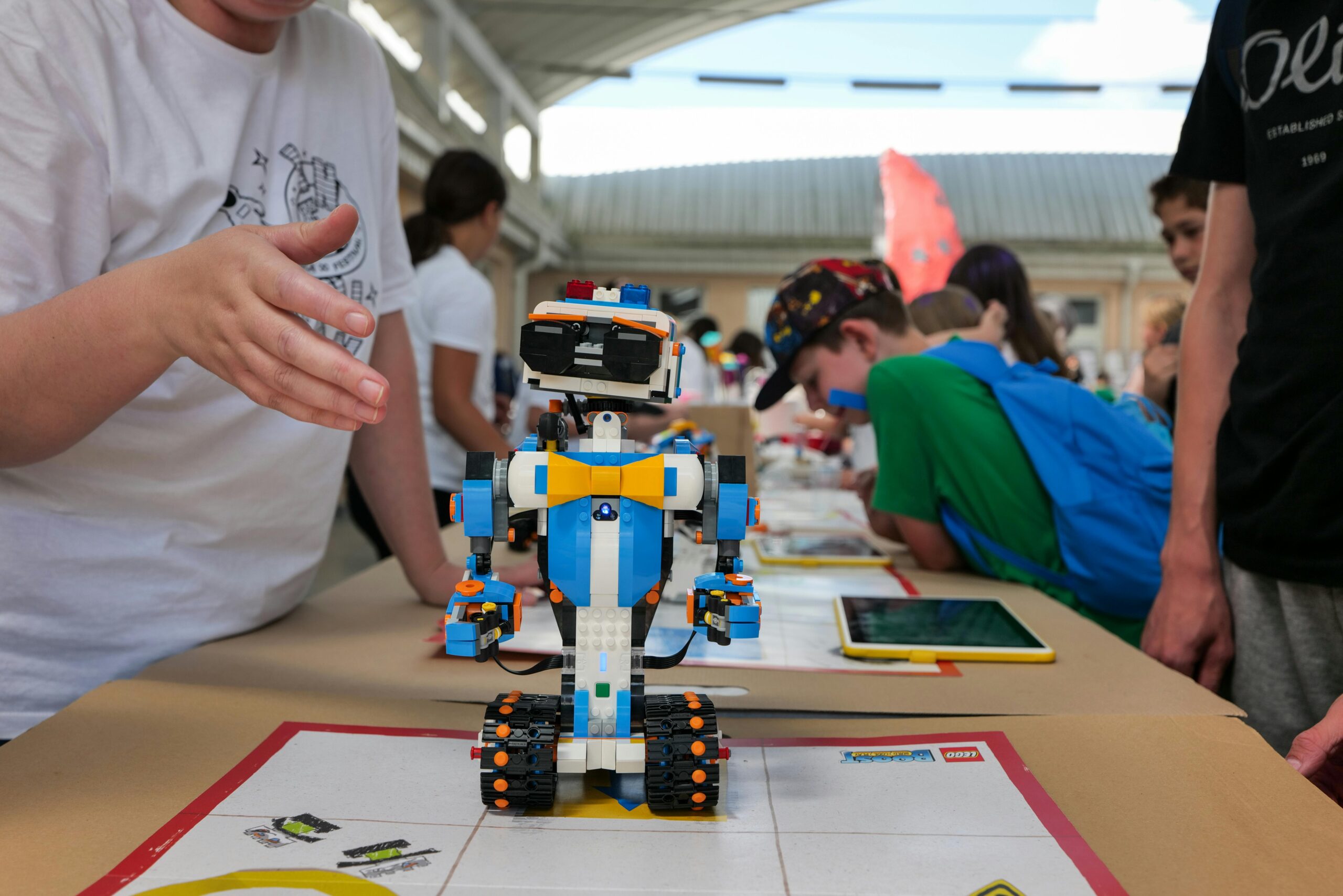
Physical programming blocks can be crafted from cardboard, wood, or even LEGO bricks. Each block represents a command: move forward, turn right, repeat, or conditional statements. Children arrange these blocks in sequences to “program” a classmate, toy, or themselves to complete tasks or navigate obstacle courses.
The beauty of physical blocks lies in their flexibility and immediate feedback. When a sequence doesn’t work as intended, children can physically rearrange the blocks, discussing with peers about which commands need adjustment. This collaborative debugging process mirrors real programming workflows while building communication and teamwork skills.
Creating Your Own Physical Programming Block Set
Designing custom programming blocks requires only basic craft supplies and creativity. Start with uniform-sized cards or blocks as your base. Use different colors to represent different command types: blue for movement, green for loops, yellow for conditionals, and red for start/stop commands.
Include these essential command types in your set:
- Movement commands (forward, backward, left turn, right turn)
- Loop commands (repeat 2x, repeat 3x, repeat until)
- Conditional commands (if/then, if/else)
- Action commands (pick up, put down, jump, clap)
- Function blocks (user-defined sequences)
Laminating cards ensures durability through repeated use. Adding velcro strips allows blocks to connect securely, preventing accidental rearrangement during program execution. For younger children, pictographic symbols work better than text labels.
🎲 Game-Based Programming Activities That Spark Joy
Games naturally engage learners by adding elements of challenge, competition, and reward. Programming games that use no electricity can be just as engaging as their digital counterparts while offering unique benefits that screens cannot provide.
Robot programming games transform one participant into a “robot” who follows exactly the commands given by “programmers.” The robot moves only when given explicit instructions, highlighting the precision required in programming. This role-playing activity generates laughter while teaching that computers cannot interpret vague or incomplete instructions.
Algorithm board games challenge players to find the most efficient path through a grid, optimize resource collection, or solve puzzles using limited instruction sets. These games can be created with simple graph paper, markers, and tokens, or purchased as commercial products designed specifically for teaching coding concepts.
The Algorithm Obstacle Course Challenge
Transform any space into a programming playground with an algorithm obstacle course. Set up various stations with different challenges: crawling under tables, jumping over cushions, solving simple puzzles, or collecting specific objects. The catch? Participants must program their route before starting.
Using physical programming cards, children plan their complete sequence of movements and actions. Once committed to their algorithm, they must follow it exactly, even if they realize mid-course that a more efficient route exists. This constraint teaches the importance of thorough planning and testing before execution.
Introduce debugging rounds where children can analyze why their program didn’t work as expected and modify their instruction sequence. Add complexity by limiting the number of command cards available, forcing optimization and creative problem-solving.
🎨 Creative Expression Through Algorithmic Art
Algorithmic art activities demonstrate that programming isn’t just about logic—it’s also a medium for creative expression. These activities blend artistic creation with systematic thinking, showing that code can produce beauty as well as functionality.
Pattern drawing with algorithms asks children to create artwork by following or designing instruction sets. For example: “Draw three circles, rotate 45 degrees, draw three circles, rotate 45 degrees, repeat six times.” The resulting mandala-like designs visually demonstrate how simple repeated instructions create complex outcomes.
Collaborative algorithmic murals take this concept further. One group creates an algorithm for an artistic pattern, while another group executes the instructions without seeing the intended result. Comparing the original vision with the executed outcome sparks discussions about clarity in communication and the importance of precise instructions.
Pixel Art Programming on Paper
Grid-based pixel art naturally translates to programming concepts. Provide children with graph paper and a color-coded instruction set. Commands might include: “Color 3 squares red, move right 2 spaces, color 4 squares blue,” and so forth.
This activity teaches coordinate systems, sequencing, and data representation. Children can write algorithms for simple images, exchange them with partners, and see if the executed result matches the original design. Differences highlight the importance of precise, unambiguous instructions.
Advanced variations introduce loops and functions. Rather than writing “color 5 squares blue” five times, children learn to write “repeat 5 times: color 1 square blue, move down.” This introduces efficiency concepts and the DRY principle (Don’t Repeat Yourself) through hands-on experience.
🤝 Collaborative Programming Activities for Groups
Programming in professional settings rarely happens in isolation. Team-based unplugged activities teach not only coding concepts but also essential collaboration, communication, and problem-solving skills that mirror real development environments.
The human sorting algorithm activity demonstrates how computers organize data. Participants receive cards with numbers or words and must arrange themselves in order using only specified comparison operations. Groups experiment with different sorting strategies, discovering through physical experience why certain algorithms work better for different situations.
Relay programming challenges divide programming tasks among team members. Each person contributes one or two instructions to a growing algorithm, passing the sequence to the next teammate. The final person executes the complete program, revealing whether the collaborative effort achieved the goal or needs debugging.
Building a Human Computer Network
This complex activity simulates how networked computers communicate and process distributed information. Assign each participant a role: input device, processor, memory, output device, or network router. Create simple programs that require data to flow between these human “components.”
For example, one person receives a math problem (input), passes it to the processor who solves it, stores the answer in memory, retrieves it when needed, and sends it to output who announces the result. Adding multiple simultaneous processes demonstrates parallel computing concepts and the challenges of managing shared resources.
This embodied experience makes abstract computer science concepts tangible and memorable. Participants physically experience bottlenecks, race conditions, and the importance of protocols—concepts that remain theoretical in traditional instruction.
📚 Story-Based Programming Adventures
Narrative frameworks transform programming exercises into engaging adventures. Story-based activities contextualize abstract concepts within scenarios that give meaning and purpose to the logical challenges.
Create treasure hunt narratives where children program characters to navigate maps using sequential instructions. Pirates following treasure maps, robots exploring alien planets, or knights navigating mazes all provide thematic frameworks that increase engagement while teaching identical programming concepts.
Choose-your-own-adventure stories become lessons in conditional logic. At each decision point, children evaluate conditions and select appropriate branches. Creating their own branching narratives with explicit conditional statements reinforces if/then thinking and helps learners understand how programs make decisions.
🔧 Assessment and Progress Tracking Without Technology
Measuring learning outcomes from unplugged activities requires thoughtful observation and documentation. Unlike digital platforms that automatically track progress, offline activities demand intentional assessment strategies that capture growth without interrupting the playful learning flow.
Portfolio-based assessment works beautifully for unplugged programming activities. Children collect examples of their algorithms, photographs of completed challenges, written reflections on problem-solving processes, and peer feedback. This cumulative record demonstrates growth over time while giving learners ownership of their learning journey.
Rubrics designed specifically for computational thinking skills provide structure to observations. Track development in areas like decomposition (breaking problems into smaller parts), pattern recognition, abstraction (identifying general principles from specific examples), and algorithm design (creating step-by-step solutions).
🌈 Adapting Activities for Different Ages and Abilities
Effective unplugged programming activities scale gracefully across age groups and ability levels. The same core activity can be simplified for young children or complexified for advanced learners through thoughtful modification.
For early elementary students, limit command sets to basic movements and keep sequences short. Use visual symbols rather than text, and incorporate whole-body movement to maintain engagement. Success comes from completing simple programs correctly rather than optimizing complex solutions.
Upper elementary and middle school students can handle larger command vocabularies including loops, conditionals, and functions. Introduce constraints that require optimization: complete the task in under 15 commands, or use only three loop blocks. These constraints push logical thinking and creative problem-solving.
High school students and adults benefit from activities that introduce computational complexity, efficiency analysis, and multiple valid solutions. Discussions comparing different algorithmic approaches deepen understanding and connect to real computer science concepts they’ll encounter in text-based programming.
🏫 Integrating Unplugged Activities Into Learning Environments
Whether in classrooms, homes, libraries, or community centers, unplugged programming activities integrate seamlessly into various educational settings. Their minimal equipment requirements and flexible implementation make them accessible to virtually any learning environment.
In formal classroom settings, these activities can serve as introductions before digital coding lessons, kinesthetic breaks during longer learning sessions, or assessment alternatives for students who struggle with screen-based evaluation. They also provide opportunities for differentiated instruction, allowing multiple entry points to the same concepts.
Homeschool environments particularly benefit from unplugged approaches. Parents without programming expertise can facilitate these activities confidently, learning alongside their children. The hands-on nature appeals to multiple learning styles and naturally integrates with other subjects like math, art, and physical education.
💡 Extending Learning From Play to Practice
The ultimate goal of unplugged programming activities isn’t to avoid technology forever, but to build mental models and thinking patterns that transfer seamlessly to digital coding environments. Strategic connections between offline and online experiences maximize learning transfer.
After mastering physical block sequences, introduce visual programming environments that mirror the same logic. Children recognize familiar patterns—sequencing, loops, conditionals—now represented digitally rather than physically. This recognition reduces cognitive load and builds confidence in the new medium.
Document connections explicitly. When introducing a new digital programming concept, reference the unplugged activity that taught the same idea. “Remember when we used the physical repeat blocks? This loop block does exactly the same thing in the computer program.” These bridges help learners connect prior knowledge to new contexts.
🌟 Sustaining Engagement Through Progressive Challenges
The most effective unplugged programming curricula provide clear progression paths that maintain challenge without overwhelming learners. Each successful activity builds confidence while introducing slightly more complex concepts that stretch current abilities.
Begin with constrained choices and guided activities. As competence grows, gradually increase freedom, allowing learners to design their own challenges, create variations on established games, or invent entirely new programming activities. This autonomy builds ownership and intrinsic motivation.
Celebrate both successful solutions and productive struggles. In programming—digital or unplugged—failure provides information. Programs that don’t work reveal misunderstandings that, when corrected, deepen learning. Creating a culture where debugging is normalized and valued transforms mistakes from threats into opportunities.
Unplugged block programming activities prove that the essence of coding isn’t trapped inside computers—it’s a way of thinking that can be explored anywhere, with anyone, using everyday materials. These screen-free experiences build foundations that support lifelong learning in our increasingly computational world, all while sparking creativity and joy through play. By embracing these hands-on approaches, educators and parents provide children with powerful tools for understanding not just technology, but systematic problem-solving applicable across all domains of life.