The robot revolution isn’t just coming—it’s already here, and block programming is your gateway to becoming part of this exciting technological transformation. 🚀

In an era where technology shapes every aspect of our lives, learning to program robots has become more accessible than ever before. Block programming, also known as visual programming, has democratized robotics education by removing complex syntax barriers and allowing beginners to focus on logic and creativity. Whether you’re a curious student, a parent looking to inspire your child, or an adult seeking a new skill, block programming offers an intuitive path into the fascinating world of robotics.
This comprehensive guide will explore how block programming is revolutionizing the way we interact with robots, breaking down barriers that once made robotics seem like an exclusive domain for engineers and computer scientists. We’ll discover the tools, platforms, and strategies that make learning robot programming not just possible, but genuinely enjoyable for everyone.
🤖 Understanding Block Programming: The Visual Language of Robots
Block programming represents a paradigm shift in how we approach coding education. Instead of typing lines of text-based code that can be easily misspelled or syntactically incorrect, block programming uses colorful, interlocking puzzle pieces that represent different programming commands. This visual approach mirrors how we naturally think about sequences and logic.
The concept originated from MIT’s Scratch programming language, designed specifically for children but powerful enough for complex projects. When applied to robotics, block programming allows you to drag and drop commands like “move forward,” “turn left,” or “read sensor value” into a sequence that creates robot behavior. The visual feedback is immediate and the learning curve is gentle, making it perfect for beginners who might feel intimidated by traditional programming languages.
What makes block programming particularly effective for robotics is its ability to abstract complex operations into simple, understandable actions. You don’t need to understand motor drivers, PWM signals, or low-level hardware communication—the blocks handle all that complexity behind the scenes while you focus on making your robot do amazing things.
Popular Block Programming Platforms for Robot Enthusiasts
The robotics education landscape offers numerous platforms that cater to different age groups, skill levels, and interests. Understanding which platform suits your needs can significantly accelerate your learning journey.
Scratch and Its Robot Extensions
Scratch remains one of the most popular entry points into block programming. While originally designed for creating games and animations, various extensions now allow Scratch to control physical robots. The ScratchX experimental extensions and Scratch 3.0’s extension system have opened doors to controlling LEGO robots, micro:bit devices, and other educational robotics kits.
The Scratch interface is incredibly intuitive, with blocks organized by category and color-coded for easy identification. Control blocks are orange, motion blocks are blue, and sensing blocks are light blue—this visual organization helps beginners quickly find the commands they need without memorizing complex syntax.
Blockly: Google’s Versatile Solution
Blockly, developed by Google, serves as the foundation for many robot programming environments. Unlike Scratch, which is a complete programming environment, Blockly is a library that developers can integrate into their own applications. This has led to its widespread adoption in educational robotics platforms.
Many robot manufacturers use Blockly-based interfaces for their products because it’s customizable and can be tailored to specific hardware capabilities. The blocks can generate JavaScript, Python, or other programming languages in the background, allowing users to eventually transition to text-based coding when they’re ready.
LEGO Mindstorms and SPIKE Prime 💡
LEGO’s robotics platforms have introduced millions of people to robot programming through their sophisticated block programming environments. The LEGO Education SPIKE app and Mindstorms software use Scratch-based block programming that’s specifically designed for their robotic systems.
What sets LEGO’s approach apart is the seamless integration between the physical building experience and the programming interface. You build your robot with LEGO pieces, then program it using blocks that directly correspond to the motors, sensors, and capabilities you’ve built into your creation. This tight integration makes the cause-and-effect relationship between code and robot behavior immediately apparent.
Arduino and mBlock
For those interested in more advanced robotics while still using block programming, mBlock combines Scratch-style blocks with Arduino and Raspberry Pi compatibility. This platform allows you to program sophisticated robots using blocks, then export your project as Arduino C code when you’re ready to learn text-based programming.
mBlock supports a wide range of robots and electronic components, from simple LED displays to complex robots with multiple sensors and actuators. The platform also includes AI and IoT capabilities, allowing you to create robots that can recognize faces, respond to voice commands, or communicate with cloud services—all through block programming.
🎯 Essential Concepts in Block-Based Robot Programming
Regardless of which platform you choose, certain fundamental concepts appear across all block programming environments for robotics. Mastering these concepts will enable you to create increasingly sophisticated robot behaviors.
Sequential Execution and Program Flow
The most basic concept in robot programming is that blocks execute in order from top to bottom. Your robot follows instructions sequentially, just like following a recipe. Understanding this linear flow is crucial before moving on to more complex programming structures.
When you stack blocks vertically, you’re creating a sequence of actions. For example, a simple program might include blocks to move forward, wait two seconds, turn right, and move forward again. The robot executes each command in order, creating predictable and repeatable behavior.
Loops: The Power of Repetition
Loops allow your robot to repeat actions without copying the same blocks multiple times. Most block programming environments offer several types of loops: repeat a specific number of times, repeat forever, or repeat until a condition is met.
Imagine programming a robot to patrol a square path. Without loops, you’d need to create four separate “move forward and turn” sequences. With a loop that repeats four times, you can accomplish the same task with fewer blocks, making your program cleaner and easier to modify. This concept of efficiency through repetition is fundamental to all programming.
Conditional Logic and Decision Making 🧠
The most powerful aspect of robot programming is giving your robot the ability to make decisions based on its environment. Conditional statements (if-then-else blocks) allow robots to respond intelligently to sensor inputs.
For example, you might program a robot to check if it detects an obstacle ahead. If an obstacle exists, the robot turns to avoid it; if not, it continues moving forward. This simple decision-making capability transforms your robot from a simple mechanical device following predetermined steps into an autonomous system that adapts to its surroundings.
Variables and Data Management
Variables allow your robot to remember information and use it later in the program. While this might sound abstract, variables enable powerful behaviors. You might create a variable to count how many times a robot has completed a lap, track the brightness level detected by a light sensor, or store a target distance for navigation.
In block programming, variables are typically created with a simple “create variable” block, then set and used with dedicated blocks. The visual representation makes it easier to understand how data flows through your program compared to text-based languages.
Building Your First Robot Program: A Step-by-Step Journey
Theory becomes meaningful when applied to practical projects. Let’s walk through the process of creating a simple robot program that demonstrates fundamental concepts while producing impressive results.
Project: The Obstacle-Avoiding Explorer
This beginner-friendly project creates a robot that roams freely until it encounters an obstacle, then turns and continues exploring. This behavior mimics how robotic vacuum cleaners navigate rooms and introduces several key programming concepts.
Start by ensuring your robot has a distance sensor or touch sensor mounted on the front. The specific hardware varies by platform, but the programming logic remains similar across different systems. Open your block programming environment and prepare to build your first autonomous robot behavior.
Begin with a “forever” loop block—this ensures your robot continuously executes your navigation logic. Inside this loop, place an “if-else” conditional block that checks the distance sensor value. If the sensor detects something closer than a certain distance (perhaps 20 centimeters), the robot should stop, turn, and continue. Otherwise, it should move forward.
The complete logic flow looks like this: continuously check for obstacles, move forward if the path is clear, or stop and turn if something is detected. This simple program creates surprisingly complex-looking behavior as your robot appears to “think” about navigating its environment.
Testing and Troubleshooting
Programming robots differs from screen-based programming because you’re working with physical hardware in the real world. Environmental factors like battery levels, surface friction, and sensor accuracy can all affect your robot’s behavior.
When your program doesn’t work as expected, systematically test each component. Does the sensor detect obstacles at the expected distance? Do the motors respond correctly to movement commands? Block programming environments often include debugging features that let you see which blocks are executing in real-time, helping you identify where the behavior diverges from your expectations.
🎨 Unleashing Creativity Through Robot Challenges
Once you’ve mastered basic concepts, the real fun begins. Robot programming becomes a creative outlet where you can express ideas through autonomous behavior and mechanical design.
Line Following Robots
Line following is a classic robotics challenge that teaches precision control and sensor integration. Using color or light sensors, your robot follows a dark line on a light surface (or vice versa). The program constantly checks if the sensor sees the line and adjusts the robot’s direction to stay on course.
This seemingly simple task introduces the concept of proportional control—adjusting motor speeds based on how far off-course the robot has drifted. While traditional implementations require complex mathematics, block programming can approximate this behavior with nested conditional statements that create surprisingly smooth line-following performance.
Music and Performance Robots
Robots don’t just perform practical tasks—they can also entertain! Many block programming platforms include sound and music blocks that let you create robots that dance to beats, play melodies, or react to music with synchronized movements.
Programming a performance robot teaches timing and coordination between multiple outputs. You might synchronize motor movements with musical notes, create light displays that pulse with rhythm, or program interactive behaviors that respond to audience input through sensors.
Competitive Robotics and Games 🏆
Robot competitions provide motivation and community for learners. Events like FIRST LEGO League, RoboCup Junior, and countless local competitions challenge teams to build robots that accomplish specific tasks within time limits.
Competition adds exciting pressure that accelerates learning. You’ll discover creative solutions to challenges, learn from other teams’ approaches, and experience the satisfaction of watching your programmed creation succeed in head-to-head challenges. The competitive element transforms robot programming from a solitary learning activity into a social experience.
Advancing Beyond Blocks: The Transition Path
Block programming serves as an excellent foundation, but you might eventually want to explore text-based programming for more advanced capabilities. The beautiful aspect of modern block programming platforms is that they’re designed as stepping stones, not dead ends.
Many platforms show the underlying code generated by your blocks. In Blockly-based systems, you can switch between block view and code view to see the Python or JavaScript equivalent of your visual program. This side-by-side comparison helps you understand how text-based syntax relates to the logical structures you’ve already mastered.
When transitioning to text-based programming, you’re not starting from zero. You already understand variables, loops, conditionals, and functions—the fundamental concepts of all programming. You’re simply learning a new syntax to express ideas you already comprehend, making the transition far less intimidating than learning text-based programming from scratch.
Resources and Community Support for Your Robot Programming Journey 🌟
Learning robot programming is more enjoyable and effective when you’re part of a community. Numerous online resources, forums, and local groups support beginners in their robotics journey.
YouTube channels dedicated to educational robotics provide video tutorials that walk through specific projects and concepts. Seeing someone else build and program a robot helps clarify steps that might seem confusing in written instructions. Channels focusing on LEGO robotics, Arduino projects, or specific platforms offer project ideas and troubleshooting advice.
Online forums and communities like Reddit’s robotics subreddits, platform-specific Facebook groups, and dedicated robotics education forums allow you to ask questions, share projects, and connect with other learners. Don’t hesitate to post your projects and questions—the robotics community is generally welcoming and eager to help newcomers.
Local makerspaces, libraries, and schools often host robotics clubs where you can access equipment, learn from mentors, and collaborate with other enthusiasts. These physical spaces provide hands-on support that complements online resources, especially valuable when troubleshooting hardware issues.
Your Creative Future Starts with One Block
The robot revolution isn’t reserved for computer scientists or engineers—it’s open to anyone curious enough to stack a few blocks together and see what happens. Block programming has removed the technical barriers that once made robotics seem inaccessible, replacing intimidating syntax with intuitive visual logic that welcomes beginners.
As you progress from your first simple sequence to complex autonomous behaviors, you’re not just learning to program—you’re developing problem-solving skills, logical thinking, and creative expression that apply far beyond robotics. You’re joining a global community of makers, inventors, and creators who are shaping the future of technology.
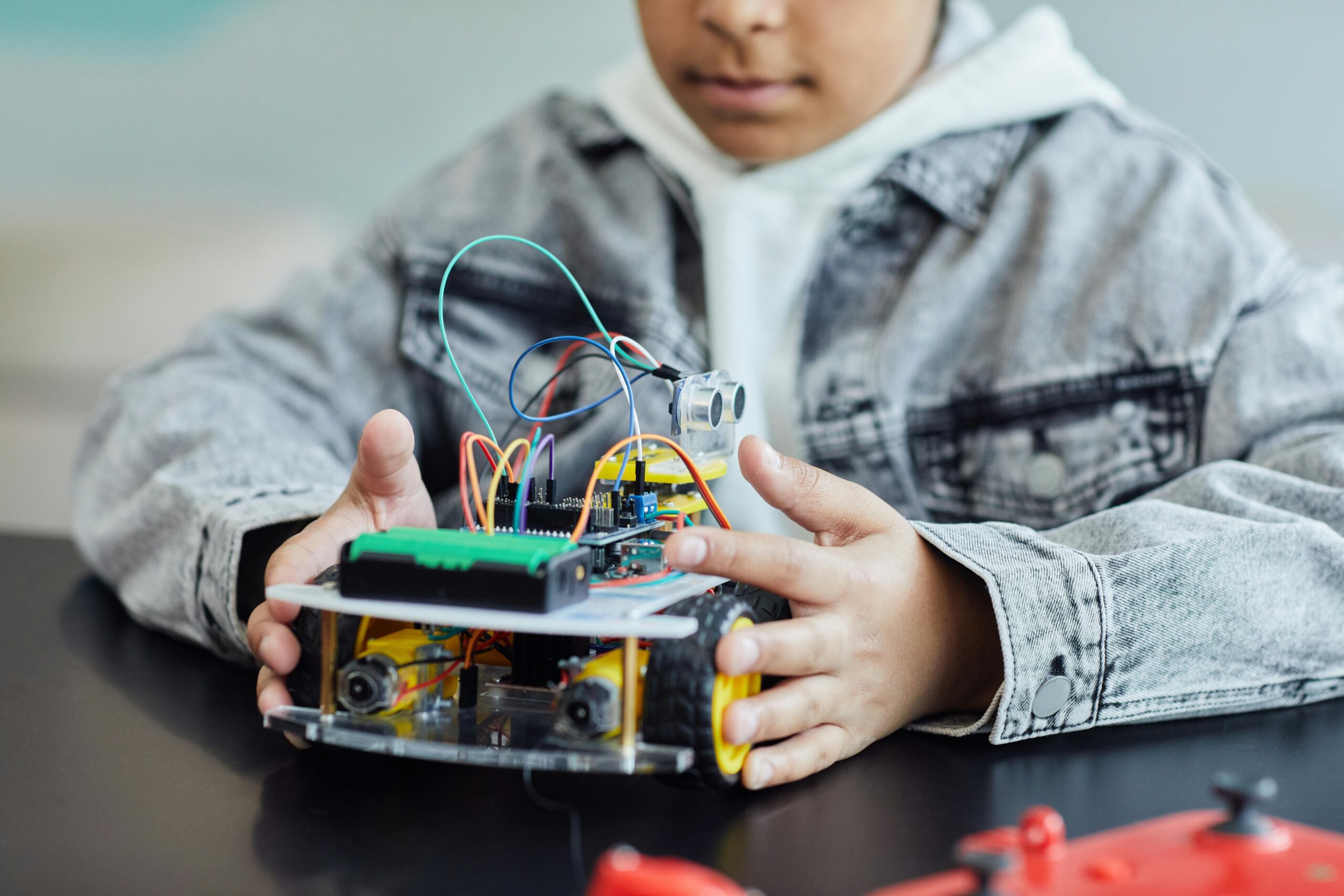
The most important step is simply beginning. Choose a platform that interests you, whether it’s LEGO robotics, Arduino-based projects, or any other system that captures your imagination. Start with the simplest possible program—make a motor spin, flash an LED, or read a sensor value. Each small success builds confidence and understanding that enables the next, more ambitious project.
The robots you program today might seem simple, but they represent something profound: your ability to bring ideas to life through code. That skill becomes more valuable every year as robots and automation become increasingly integrated into daily life. By starting now with accessible block programming, you’re positioning yourself at the forefront of this technological revolution, ready to create, innovate, and solve problems in ways we haven’t yet imagined. 🚀🤖